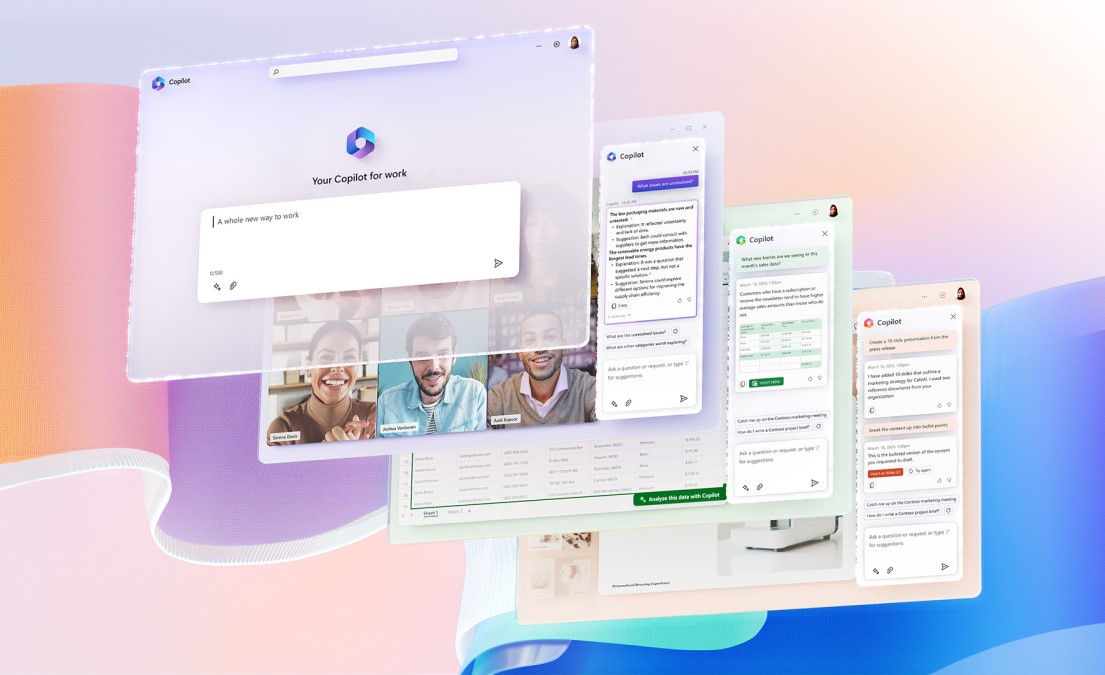
Microsoft Copilot AI is an intelligent assistant designed to help people work faster, write better, research information, and complete everyday tasks with less effort. It is built into Microsoft’s ecosystem and is available across apps, devices, and workflows, making it useful for both personal and professional productivity. Copilot is positioned as an AI assistant for work and daily life, with features that support drafting, summarizing, researching, coding, and creating content.
What Copilot AI Is
Copilot AI is Microsoft’s generative AI assistant that works in products such as Microsoft 365, Windows, Edge, and mobile experiences. It is designed to understand prompts written as questions, commands, or short descriptions, then return useful responses, summaries, or creative outputs. In Microsoft 365, it can connect with your files, chats, meetings, and work content so it can help inside the flow of work rather than as a separate tool.
Main Features
Copilot provides a wide range of features that make it more than a simple chat tool. It can draft emails, reports, and blog posts, summarize long documents and meetings, and help users brainstorm ideas for projects or content. It also supports AI-powered research, enterprise search, and organizing information through notebooks and related content collections. For creative and technical work, it can generate images, help with coding, and support document editing and content transformation.
Core features at a glance
| Feature | What it does |
|---|---|
| Writing assistance | Drafts emails, reports, articles, and other text |
| Summarization | Condenses documents, meetings, chats, and notes |
| Research | Finds and explains information quickly with AI search |
| Task support | Helps manage schedules, reminders, and workflows |
| Creative generation | Produces images, content ideas, and concept drafts |
| Coding help | Generates code snippets, helps debug, and writes documentation |
| Work integration | Connects with Microsoft 365 apps and files |
What You Can Do With It
Copilot is useful in many real-world situations because it can handle both routine and creative work. You can use it to write professional emails, turn notes into polished documents, or quickly summarize long meetings so you do not have to read every detail. It can also help you brainstorm blog topics, presentation ideas, travel plans, and even meal ideas, making it helpful for both business and personal planning.
For workplace use, Copilot can assist with scheduling, task tracking, enterprise search, and turning raw information into useful insights. In Microsoft 365, it can work across Word, Excel, PowerPoint, Teams, and other apps, which means it can help with writing, analysis, meeting follow-up, and presentation building. For developers, it can generate code examples, explain errors, and support documentation or testing tasks.
Best Use Cases
Copilot is most valuable when you want to save time on repetitive work or speed up first drafts. It works well for people who write frequently, manage projects, handle customer communication, or need to digest large amounts of information quickly. It is also useful for teams that already use Microsoft tools because the AI features sit inside the same environment where work already happens.
Common use cases
-
Drafting emails and messages.
-
Summarizing meetings and documents.
-
Brainstorming content ideas and project concepts.
-
Creating or editing presentations and reports.
-
Supporting coding, debugging, and documentation.
-
Researching topics faster with AI-powered search.
-
Organizing tasks, reminders, and schedules.
Copilot vs Manual Work
Copilot does not replace human judgment, but it reduces the time spent on repetitive first drafts and information gathering. Instead of starting from scratch, you can ask Copilot for a summary, outline, draft, or idea set, then refine the output to fit your needs. This is especially useful when the goal is speed, consistency, or handling a large workload.
| Manual process | With Copilot |
|---|---|
| Read long documents one by one | Get a summary quickly |
| Write every email from scratch | Draft and edit faster |
| Search multiple sources manually | Use AI-powered search and synthesis |
| Build slides from raw notes | Turn ideas into presentations faster |
| Debug line by line alone | Get coding assistance and explanations |
Strengths and Limits
Copilot’s biggest strengths are convenience, speed, and integration with Microsoft tools. It is particularly strong for productivity tasks, business writing, summarization, and working across a connected set of apps. Its limits are the same ones found in most AI systems: it still needs human review for accuracy, tone, and context, especially when the task is sensitive or important.
Copilot is best treated as a smart assistant rather than a final decision-maker. It can help you move faster, but you still need to verify facts, review outputs, and make final adjustments before using its results in professional settings.
Why It Matters
Copilot AI matters because it turns everyday software into a more active assistant. Instead of just storing files or sending messages, Microsoft’s ecosystem can now help create content, summarize work, answer questions, and support decisions in real time. For individuals, this means less repetitive work. For businesses, it can mean higher productivity and faster turnaround on common tasks.
Copilot is especially useful for anyone who wants an AI tool that fits into existing Microsoft workflows while offering practical help with writing, research, creativity, and automation. Its value comes from combining broad AI capability with familiar productivity tools.
See More AI Platforms that may interest you here
