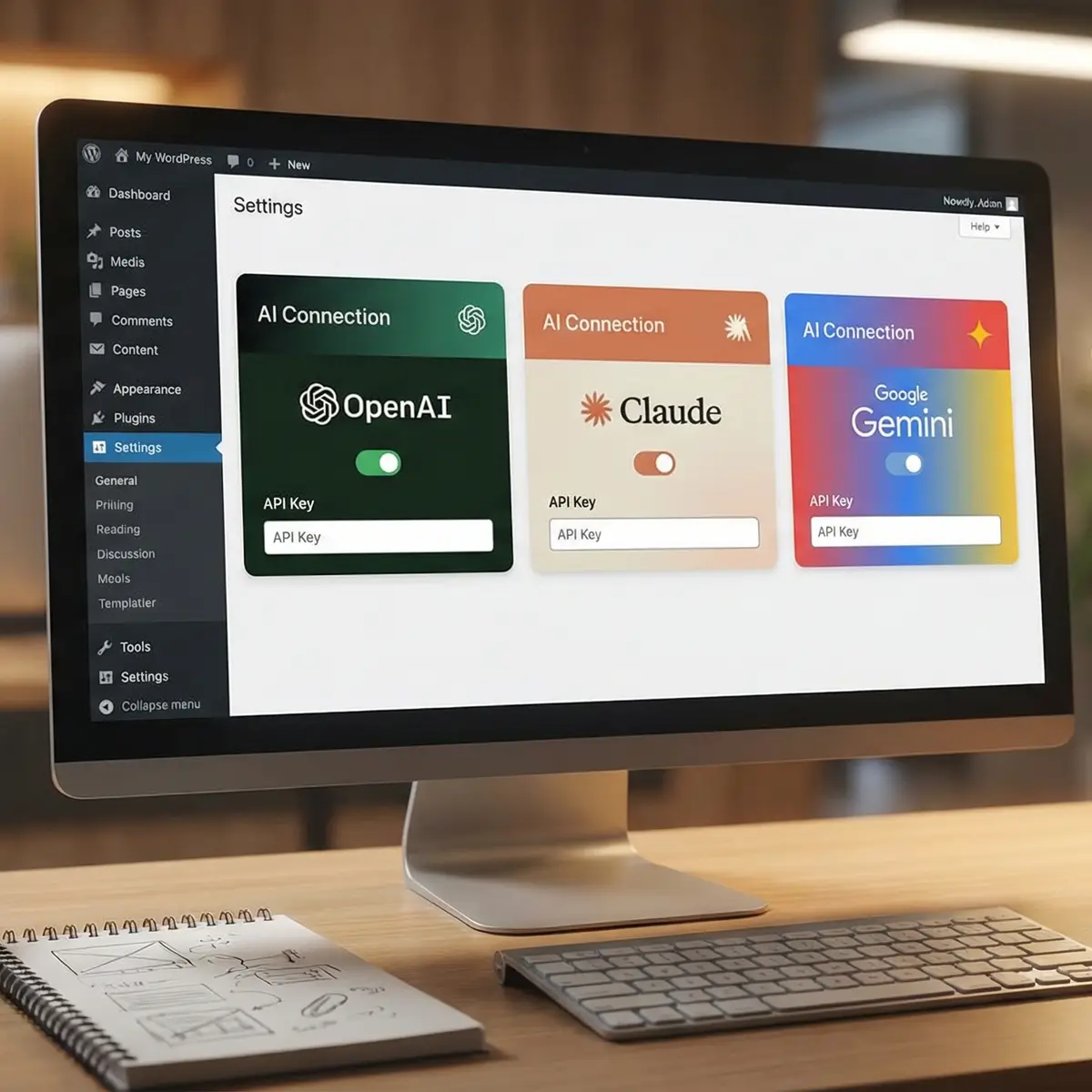
AI connectors are changing the way WordPress sites work by linking your website to external AI providers such as OpenAI, Anthropic, and Google so that plugins and workflows can use AI directly inside WordPress. In practical terms, this means your site can generate content, automate tasks, and power smarter features without forcing you to copy and paste between separate tools.
What AI connectors are
AI connectors are integrations that let WordPress communicate with AI services through a standardized connection layer. The Connectors API in WordPress 7.0 automatically discovers providers from the AI client registry and creates connectors with the correct metadata, which makes it easier for plugins to use AI services consistently. That matters because it reduces setup friction and helps different plugins work with the same AI provider configuration.
A simple way to think about an AI connector is as a bridge. WordPress sits on one side, the AI provider sits on the other, and the connector moves prompts, requests, and responses between them. Once the bridge is in place, plugins can ask the AI to generate text, summarize content, create structured outputs, or assist with workflows inside the dashboard.
Why they matter
AI connectors matter because they remove much of the manual work usually involved in AI integration. Instead of configuring every plugin separately for every AI vendor, WordPress can centralize the connection and expose it for compatible tools. That makes it easier to build AI-powered websites that are more efficient, easier to maintain, and more consistent across features.
They are especially useful for site owners who want AI-driven content support, SEO help, chatbots, form generation, and automation without building everything from scratch. For small businesses, AI connectors can simplify how content support and site workflows are managed. For developers, they create a cleaner way to build plugins that rely on the same provider setup.
How setup works
The exact setup will depend on your WordPress version, your hosting environment, and the plugin or theme that supports AI connectors. In WordPress 7.0, connectors are available through the Connectors API, which can discover supported providers and register them for use by compatible tools. Tutorials also show that providers such as Anthropic, Google, and OpenAI can be activated as default connectors.
A typical setup process looks like this:
-
Install or update to a WordPress version or plugin that supports AI connectors.
-
Choose an AI provider such as OpenAI, Anthropic, or Google.
-
Add the required API key or provider credentials.
-
Enable the connector in WordPress settings.
-
Use a compatible plugin or block that can read the connector configuration.
Once enabled, the connector becomes available to tools inside WordPress that know how to use it. That is why some plugins can generate content or forms using the WordPress AI connector instead of requiring their own separate AI setup.
What you can do with them
AI connectors unlock several practical use cases in WordPress. One of the most visible examples is content generation, where you can ask AI to draft blog posts, product descriptions, page copy, and metadata. Another common use is form generation, where a plugin can turn a plain-language request into a working form structure. AI connectors can also help with SEO tasks, such as writing titles, descriptions, and supporting text more efficiently.
Common uses
| Use case | What it helps with |
|---|---|
| Blog content generation | Drafting articles, outlines, and sections |
| Form generation | Building forms from natural language prompts |
| SEO support | Titles, meta descriptions, and content optimization |
| Site automation | Repetitive tasks and workflow support |
| Customer interaction | Chatbots and guided responses |
| Content summaries | Condensing long posts or notes |
AI connectors are not limited to text generation. They can also support smarter website features such as chat interfaces, automated recommendations, and workflow helpers. This is where the connector idea becomes powerful: the same AI connection can be reused by different tools across your site. That gives you more flexibility than relying on isolated AI plugins that do not share settings.
Best practices
AI should be used as a support system, not a replacement for editing and quality control. Even if a connector generates a draft quickly, the result still needs review for accuracy, tone, and alignment with your brand. This is especially important for factual content, legal information, health topics, and customer-facing pages.
It is also wise to choose the lightest AI setup that solves the problem. If your goal is only to create a form or write a page description, a simple connector-based plugin may be enough. If your goal is a larger automation workflow, you may need to combine the connector with other tools and plugin logic.
Choosing a provider
Different AI providers are useful for different kinds of work, so the best connector depends on your needs. Some users prefer one provider for writing, another for coding, and another for chat-style interactions. Since WordPress connectors are designed to work with multiple providers, the real advantage is the ability to choose the best model for the job.
| Provider type | Typical strength |
|---|---|
| OpenAI-style models | General writing, content generation, broad task support |
| Anthropic-style models | Reasoning, structured outputs, assistant workflows |
| Google-style models | Broad assistant features and ecosystem support |
If your site uses AI for publishing, it makes sense to test output quality, speed, and compatibility before rolling it out broadly. A good connector should be stable, easy to configure, and supported by the plugin or workflow you plan to use.
Common mistakes
A common mistake is treating AI connectors like a one-click magic solution. They still need proper configuration, prompt design, and content review. Another mistake is connecting too many AI tools at once, which can create confusion about which provider is powering which feature. It is better to start with one provider and one use case, then expand after testing.
Some site owners also forget to check plugin compatibility. A connector only helps if the theme or plugin knows how to use it. Before making AI part of your production workflow, confirm that the feature is supported and that the output matches your publishing standards.
Practical workflow
A simple and effective workflow is to connect WordPress to one AI provider, then use that provider in one high-value plugin such as a form builder, content assistant, or SEO tool. From there, test the output on a staging site, review the generated content, and adjust prompts or settings until the result is reliable. After that, you can expand to additional uses like chat support, summaries, or automation.
This approach keeps the setup manageable and lets you measure whether the connector is actually saving time. It also reduces the risk of publishing poor-quality AI output on your live site. For most businesses, that balance of speed and control is the main value of AI connectors.
AI connectors make WordPress more flexible, more automated, and easier to extend with modern AI services. If you use them carefully, they can help you write faster, build smarter forms, improve SEO workflows, and create a more responsive website experience.
